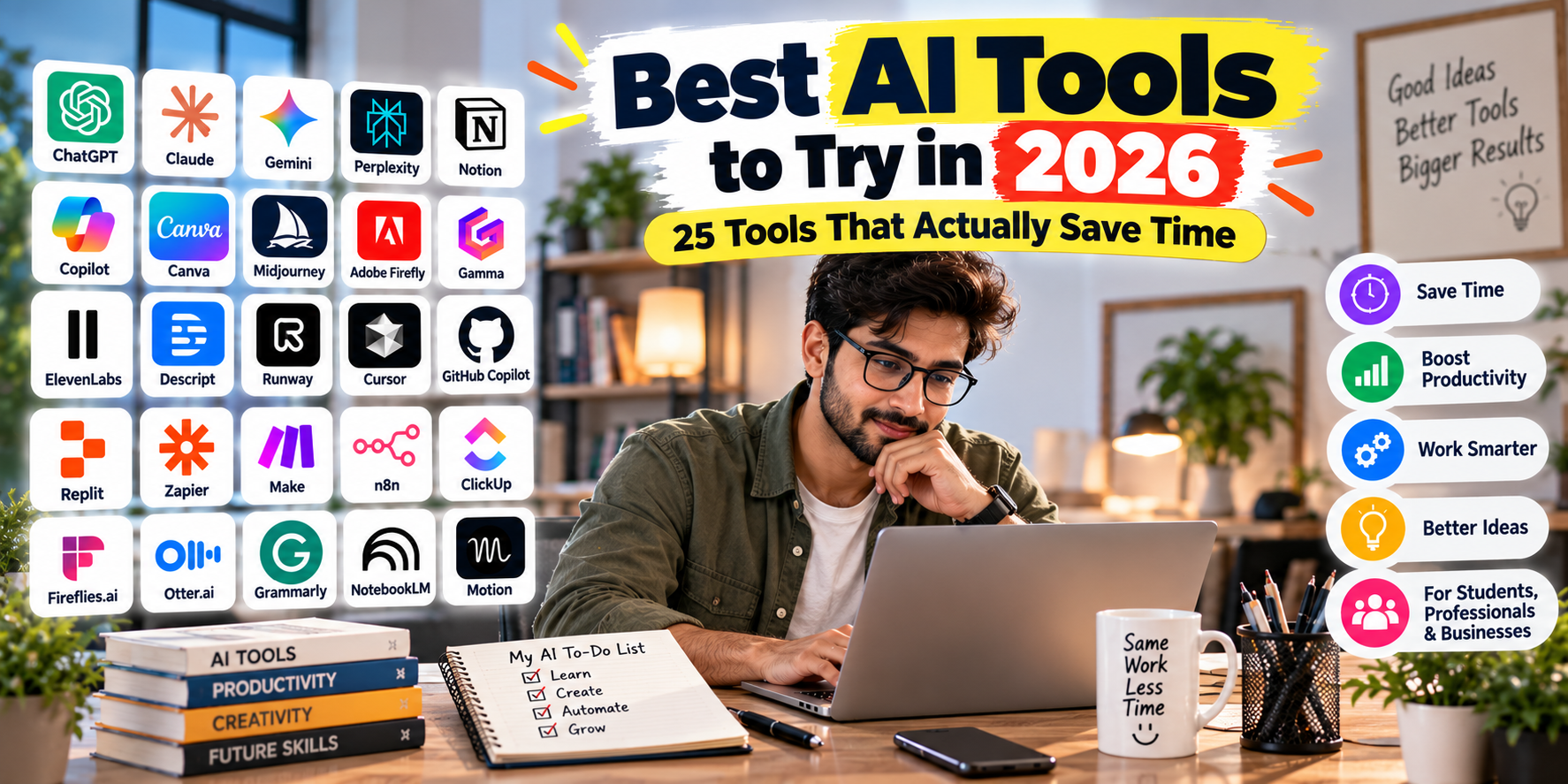
Best AI Tools to Try in 2026: 25 Tools That Actually Save Time
AI tools have moved far beyond simple chatbots. In 2026, you can use AI to research a topic, write content, summarize documents, create presentations, edit videos, generate images, write code, automate repetitive tasks, organize meetings, and even manage your daily schedule.
The problem is no longer finding an AI tool. The problem is finding AI tools that actually save time.
There are thousands of AI-powered apps available, but many of them overlap heavily. Instead of trying every new AI website, it makes more sense to choose tools based on the work you actually do.
In this guide, we’ve selected 25 AI tools worth trying in 2026, covering productivity, writing, research, coding, design, video, meetings, automation, and business workflows.
Current 2026 comparisons show that the strongest AI tools tend to specialize in particular workflows rather than being universally useful. ChatGPT, Claude and Gemini are strong general assistants, while tools such as Perplexity, Cursor, Canva, Notion AI and Zapier are more focused on specific jobs.
Quick List: 25 AI Tools Worth Trying in 2026
| AI Tool | Best For |
|---|---|
| ChatGPT | All-purpose AI assistance |
| Claude | Writing, reasoning and documents |
| Google Gemini | Google ecosystem users |
| Perplexity | AI-powered research |
| NotebookLM | Researching your own documents |
| Microsoft Copilot | Microsoft 365 productivity |
| Notion AI | Notes and project management |
| Grammarly | Writing and editing |
| Canva AI | Design and visual content |
| Gamma | Presentations |
| Midjourney | AI image generation |
| Adobe Firefly | Creative and commercial design |
| ElevenLabs | AI voice generation |
| Descript | Video and audio editing |
| Runway | AI video creation |
| Cursor | AI-assisted coding |
| GitHub Copilot | Developer assistance |
| Replit | Building apps with AI |
| Zapier | Workflow automation |
| Make | Visual automation |
| n8n | Advanced AI automation |
| ClickUp AI | Project management |
| Fireflies.ai | Meeting transcription |
| Otter.ai | Meeting notes |
| Motion | AI scheduling and planning |
1. ChatGPT – Best All-Purpose AI Tool
Best for: Writing, brainstorming, research, analysis, coding, documents, images and everyday productivity.
ChatGPT remains one of the most versatile AI tools available. Instead of using separate applications for every small task, you can use it as a general-purpose assistant for writing, summarizing, analyzing information, brainstorming ideas, working with files and helping with technical tasks.
For freelancers, students, marketers, business owners and content creators, its biggest advantage is versatility.
Time-saving example: Turn a rough collection of notes into a structured article, email, social post or project plan in minutes.
Best for: People who want one AI assistant that can handle many different types of work.
2. Claude – Best for Long Documents and Writing
Best for: Long-form writing, document analysis, reasoning and coding.
Claude from Anthropic is particularly useful when you need to work with lengthy documents or detailed instructions. It is a strong choice for reviewing reports, rewriting professional content, analyzing documents and working through complex written tasks.
Claude is frequently included among the leading general-purpose AI assistants in 2026 productivity comparisons.
Time-saving example: Upload a long report and ask Claude to extract the important points, identify problems and create an executive summary.
3. Google Gemini – Best for Google Users
Best for: Google-centric workflows, research, writing and productivity.
Google Gemini is particularly attractive if your work already revolves around Google’s ecosystem.
For people who spend much of their day using Google services, having AI assistance connected to that ecosystem can reduce the need to constantly copy information between different applications.
Time-saving example: Use AI to help summarize information, brainstorm ideas and prepare content while keeping your workflow inside the Google ecosystem.
4. Perplexity – Best AI Research Tool
Best for: Web research and answers with sources.
Perplexity is designed around AI-powered search and research. Instead of manually opening dozens of search results, you can ask a question and receive a synthesized answer with references that you can investigate.
This makes it particularly useful for market research, competitor research, fact-finding and quickly understanding unfamiliar topics.
Time-saving example: Ask Perplexity to research a topic and provide the most relevant sources instead of starting with dozens of browser tabs.
5. NotebookLM – Best for Researching Your Own Sources
Best for: PDFs, research papers, notes and source-based learning.
NotebookLM is useful when you want AI to work primarily with information you provide. Instead of asking a general AI about a topic, you can provide your own documents and use AI to understand, summarize and explore them.
It can be especially useful for students, researchers, consultants and professionals working with large collections of documents.
Time-saving example: Upload several research documents and ask for a comparison of their major findings.
6. Microsoft Copilot – Best for Microsoft 365 Work
Best for: Word, Excel, PowerPoint, Outlook and Microsoft workplace workflows.
If your work already happens inside Microsoft 365, Copilot can be more useful than adding another standalone AI application.
Its value comes from bringing AI assistance into familiar workplace software.
Time-saving example: Use AI to help summarize information, draft documents, analyze spreadsheet data or prepare presentations.
7. Notion AI – Best for Notes and Knowledge Management
Best for: Notes, documentation, project information and team knowledge.
Notion AI combines an AI assistant with Notion’s existing workspace for notes, databases and project information.
It becomes especially useful when your team already stores project information and documentation in Notion.
Time-saving example: Turn meeting notes into action items, summarize project documentation or create a first draft from existing notes.
8. Grammarly – Best AI Writing Assistant
Best for: Editing, grammar, tone and professional communication.
Grammarly is useful if you already write your own content but want AI assistance with clarity, grammar and tone.
It can be particularly helpful for emails, business communication, articles, proposals and professional documents.
Time-saving example: Write your first draft naturally and let Grammarly identify grammar, clarity and tone issues.
9. Canva AI – Best for Quick Visual Content
Best for: Social media graphics, presentations, marketing visuals and simple designs.
Canva is already popular among non-designers, and its AI features make creating visual content even faster.
You can use it for social media posts, presentations, marketing graphics, thumbnails and other visual assets.
Time-saving example: Start with a simple description and turn it into a visual concept rather than designing everything from scratch.
10. Gamma – Best for AI Presentations
Best for: Presentations, pitch decks and visual documents.
Creating a professional presentation from a blank PowerPoint file can take hours. Gamma reduces the amount of manual work required to structure and present information.
Time-saving example: Provide a topic, audience and key points, then use AI to create the initial presentation structure.
11. Midjourney – Best for AI Images
Best for: Creative images, concepts, illustrations and visual experimentation.
Midjourney remains a popular option for people who need visually striking AI-generated images.
It can be useful for creative projects, concept art, mood boards, marketing ideas and visual experimentation.
Time-saving example: Create multiple visual concepts before investing time in a traditional design process.
12. Adobe Firefly – Best for Creative Workflows
Best for: Image generation, editing and creative workflows.
Adobe Firefly is designed for people who want AI-powered creative features within Adobe’s broader ecosystem.
It can be useful for generating or modifying visual content while working within a familiar creative workflow.
Time-saving example: Quickly create variations of an image or visual concept instead of manually producing every version.
13. ElevenLabs – Best for AI Voice
Best for: Voiceovers, narration, audio content and synthetic voices.
ElevenLabs is useful for creators who need realistic AI-generated speech without recording every piece of narration themselves.
Time-saving example: Turn a prepared script into a voiceover for a video or presentation.
14. Descript – Best for Editing Video and Audio
Best for: Podcasts, videos, screen recordings and spoken content.
Descript takes a text-oriented approach to editing audio and video. This can make certain editing tasks feel more like editing a document than working with a traditional timeline.
Time-saving example: Edit spoken content by working with the transcript instead of manually searching through the entire recording.
15. Runway – Best for AI Video Creation
Best for: Generative video and creative visual effects.
Runway is aimed at creators who want to incorporate generative AI into video production.
It can help with visual experimentation, short-form video concepts and creative production workflows.
Time-saving example: Generate visual concepts quickly before spending hours producing them manually.
16. Cursor – Best AI Coding Tool
Best for: Developers, programmers and software projects.
Cursor is an AI-focused code editor designed to help developers understand and modify code faster.
Its biggest advantage is that AI assistance is integrated into the coding environment rather than requiring developers to constantly switch between an editor and chatbot.
Cursor is frequently ranked among the leading AI coding tools in 2026 comparisons.
Time-saving example: Ask the AI to explain a section of an existing codebase or help implement a change across multiple files.
17. GitHub Copilot – Best for Developers Using GitHub
Best for: Code suggestions, development assistance and GitHub workflows.
GitHub Copilot helps developers write and understand code directly within supported development environments.
For developers who already rely heavily on GitHub, its integration can make it a natural addition to their workflow.
Time-saving example: Generate repetitive code, explain unfamiliar functions and get suggestions while working inside your editor.
18. Replit – Best for Building Apps With AI
Best for: Rapid prototyping and building applications.
Replit combines a development environment with AI assistance, making it attractive to people who want to build and experiment without setting up a complex local development environment.
Time-saving example: Describe a small application and use AI assistance to accelerate the initial implementation.
19. Zapier – Best for Workflow Automation
Best for: Connecting apps and automating repetitive business tasks.
Zapier can connect different services and automate workflows between them. Its AI capabilities make it increasingly useful for building automated processes without writing everything from scratch.
Time-saving example: Automatically send new form submissions to a spreadsheet, CRM, email system or project-management application.
20. Make – Best for Visual Automation
Best for: Multi-step workflows and visual automation.
Make is useful when a simple automation isn’t enough and you need to build a workflow involving multiple steps and applications.
Time-saving example: Create a workflow that receives a lead, processes the information, adds it to a CRM and sends a personalized follow-up.
21. n8n – Best for Advanced Automation
Best for: Technical users, developers and customizable AI workflows.
n8n is particularly interesting for users who want more control over automation and are comfortable working with technical workflows.
It can be used to connect applications, APIs and AI services into more sophisticated processes.
Time-saving example: Build an automated research or content workflow that moves information through several AI and business services.
22. ClickUp AI – Best for Project Management
Best for: Tasks, projects, documentation and team productivity.
ClickUp combines project management with AI features, making it useful for teams that want their AI assistant to operate within their existing project workspace.
Time-saving example: Turn project discussions into tasks, summarize updates and generate initial project documentation.
ClickUp AI is included among notable AI productivity platforms in current 2026 comparisons.
23. Fireflies.ai – Best for Meeting Transcription
Best for: Meeting notes, transcripts and action items.
Meetings often create a second job: remembering what was discussed and turning conversations into tasks.
AI meeting assistants such as Fireflies can reduce that manual work by transcribing and summarizing conversations.
Time-saving example: Use an AI-generated meeting summary so you don’t have to write detailed notes while participating in the discussion.
24. Otter.ai – Best for AI Meeting Notes
Best for: Transcription, meetings, interviews and conversations.
Otter is another popular tool for turning spoken conversations into searchable transcripts and summaries.
It can be useful for meetings, interviews, lectures and research conversations.
Time-saving example: Search the transcript later instead of manually reviewing an entire recording.
25. Motion – Best for AI Scheduling
Best for: Calendar management, task planning and scheduling.
Motion focuses on helping users organize tasks and schedules around available time.
For people whose biggest productivity problem is deciding when to do everything, an AI-powered scheduling approach can be more useful than another note-taking application.
Time-saving example: Organize tasks around deadlines and available calendar time instead of manually rearranging your schedule every day.
Best AI Tools by Category in 2026
| Category | Recommended Tool | Why |
|---|---|---|
| Overall AI Assistant | ChatGPT | Versatile for many tasks |
| Writing | Claude | Strong long-form writing and document work |
| Research | Perplexity | Fast web research with sources |
| Document Research | NotebookLM | Works with your own sources |
| Google Productivity | Gemini | Google ecosystem integration |
| Microsoft Productivity | Copilot | Microsoft 365 workflows |
| Writing Editing | Grammarly | Grammar, clarity and tone |
| Design | Canva AI | Fast visual content creation |
| Presentations | Gamma | AI-assisted presentation creation |
| Images | Midjourney | Creative image generation |
| Video | Runway | Generative video |
| Voice | ElevenLabs | AI voice generation |
| Coding | Cursor | AI-native coding workflow |
| Automation | Zapier | Easy app-to-app automation |
| Advanced Automation | n8n | Flexible technical workflows |
| Meetings | Fireflies.ai | Transcription and summaries |
| Scheduling | Motion | AI-assisted planning |
How to Choose the Right AI Tool
The biggest mistake is subscribing to every AI tool you see on social media.
Instead, identify the task that consumes the most time and choose an AI tool specifically for that problem.
If You Write a Lot
Start with ChatGPT or Claude. Add Grammarly if you frequently edit professional communication.
If You Do Research
Try Perplexity for web research and NotebookLM when your research is based on your own documents.
If You Create Content
A combination of ChatGPT or Claude, Canva, an image-generation tool and a video tool can cover much of a modern content workflow.
If You Are a Developer
Try Cursor or GitHub Copilot. Replit can also be useful for rapid prototyping.
If You Run a Business
Consider combining a general AI assistant with an automation platform such as Zapier, Make or n8n.
If Meetings Consume Your Day
Fireflies.ai and Otter.ai can reduce the amount of manual note-taking and post-meeting summarization.
Don’t Use 25 AI Tools
Although this article contains 25 tools, you don’t need 25 subscriptions.
In fact, using too many AI applications can create another productivity problem. You may end up switching between platforms, maintaining multiple subscriptions and repeatedly moving the same information from one tool to another.
A better approach is to build a small AI productivity stack.
For example:
- General AI: ChatGPT or Claude
- Research: Perplexity
- Documents: Notion AI or NotebookLM
- Design: Canva
- Automation: Zapier or Make
- Coding: Cursor
- Meetings: Fireflies.ai
That is already enough for many professionals.
How AI Tools Actually Save Time
The biggest productivity gains usually don’t come from asking AI random questions. They come from redesigning repetitive workflows.
For example, instead of manually completing these steps:
- Research a topic
- Collect information
- Write an outline
- Draft the article
- Edit the article
- Create an image
- Create social media posts
You can use different AI tools to accelerate individual stages of the workflow.
The goal isn’t to let AI do everything. The goal is to reduce repetitive work so you can spend more time on strategy, creativity, judgment and decisions.
Recent research and reporting on advanced workplace AI users also suggests that the strongest users are not simply using AI for isolated prompts; they are redesigning workflows around AI and automation.
Are AI Tools Worth Paying For?
Sometimes.
A paid AI subscription can make sense when it regularly saves enough time to justify its cost.
For example, if an AI tool saves you several hours every month on research, writing, coding, design or administrative work, its subscription may provide a worthwhile return.
However, don’t pay for multiple tools that perform essentially the same task.
Try the free version first whenever possible and upgrade only when you encounter a genuine limitation.
Final Thoughts
The best AI tool in 2026 isn’t necessarily the one with the most impressive feature list. It’s the one that removes a repetitive task from your workflow.
For most people, the best starting point is one general AI assistant such as ChatGPT, Claude or Gemini. From there, add specialized tools only when they solve a specific problem.
If you regularly research information, try Perplexity. If you work with documents, consider NotebookLM. Designers can explore Canva AI and Midjourney. Developers can try Cursor or GitHub Copilot. Businesses can use Zapier, Make or n8n to automate repetitive workflows.
Start with one task, choose one tool, measure how much time it saves, and build your AI stack from there.
Frequently Asked Questions
What is the best AI tool in 2026?
There is no single best AI tool for everyone. ChatGPT, Claude and Gemini are strong general-purpose choices, while specialized tools can be better for research, coding, design, meetings or automation.
Which AI tool saves the most time?
It depends on your workflow. Research-heavy users may benefit most from Perplexity, developers from Cursor, content creators from ChatGPT and Canva, and businesses from automation platforms such as Zapier or Make.
What is the best free AI tool to try?
ChatGPT, Claude, Gemini, Perplexity and NotebookLM all offer ways to start using AI without immediately committing to a paid subscription, although available features and usage limits can vary.
Should I pay for multiple AI tools?
Usually, start with one general-purpose AI tool and add specialized tools only when they solve a problem your existing tool cannot handle efficiently.
Can AI tools really improve productivity?
Yes, particularly when they are integrated into repetitive workflows. The biggest gains generally come from using AI to reduce repetitive research, writing, summarization, scheduling, coding and administrative work.